One connected system The disciplines we connect for your projects.
We act as your outsourced digital-engineering team: we connect the data, software, automation, AI, and BIM each project actually needs.
See and control the project
Turn your project data into live decisions
For owners, contractors, and PMOs that need to know if the project is on time and on budget.
-
01
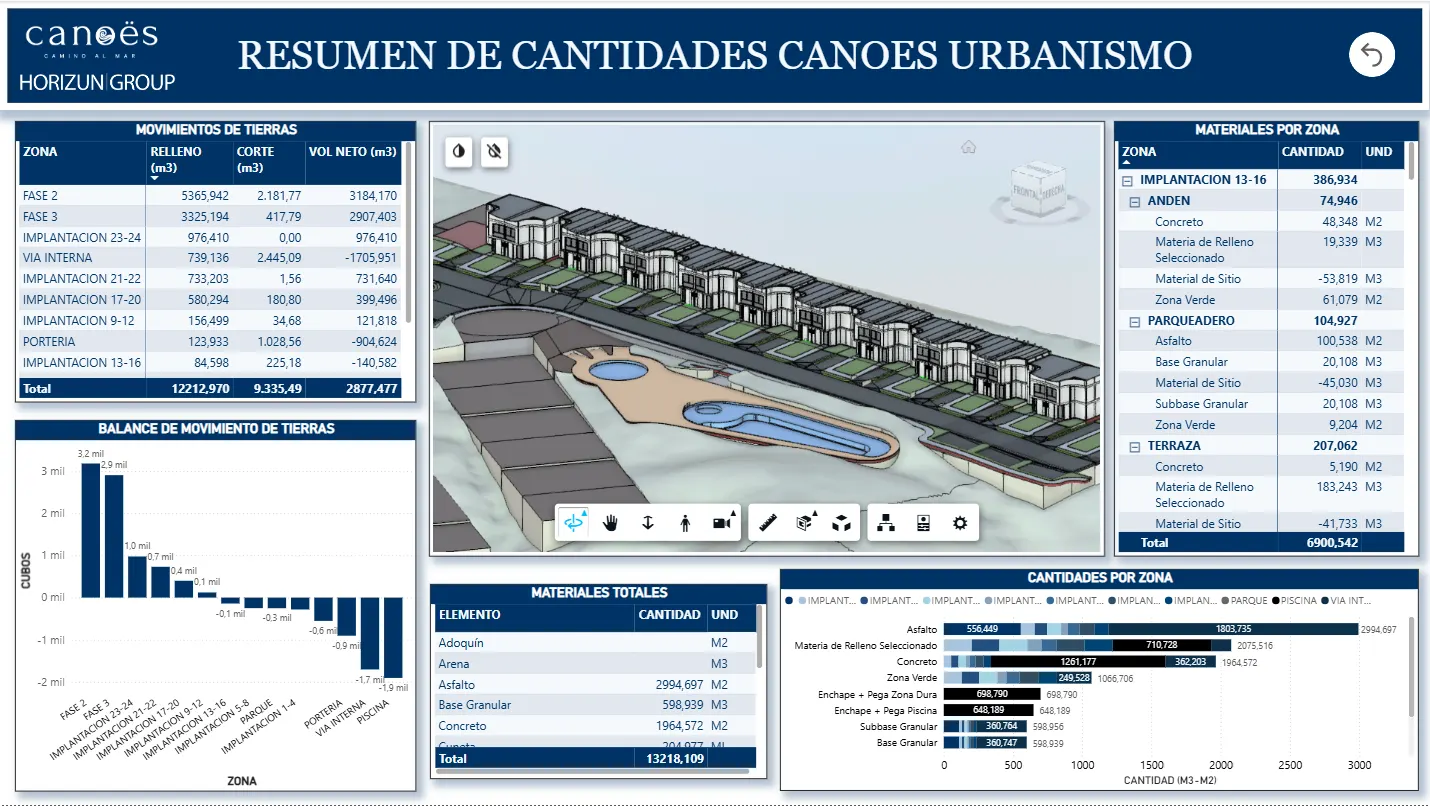
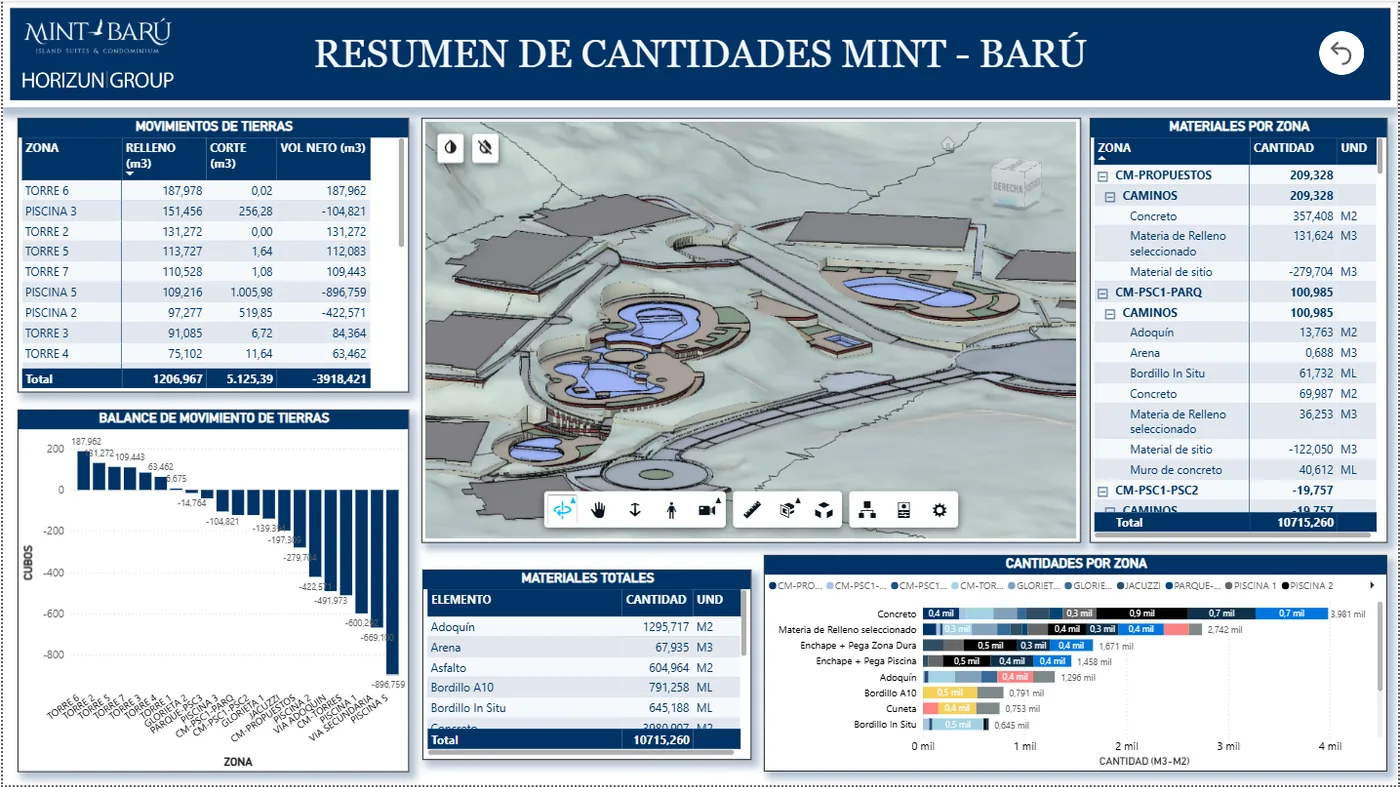
Urban quantities dashboard
Earthwork and material quantities organized by zone for project control.
Power BIQuantitiesUrbanism
-
02
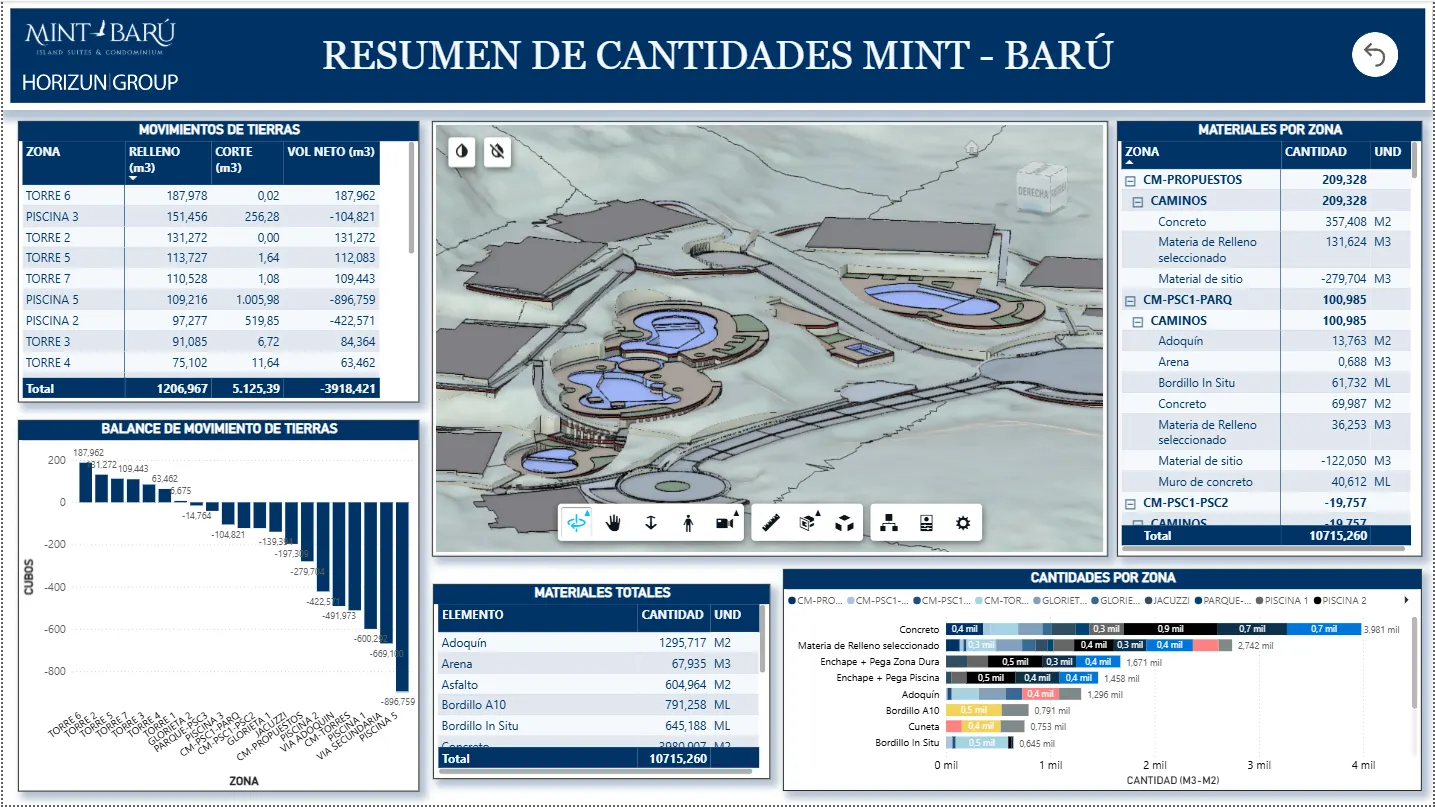
Site quantities dashboard
Site, earthwork, and material quantities presented with model context and totals.
QuantitiesMaterialsModel context
-
03
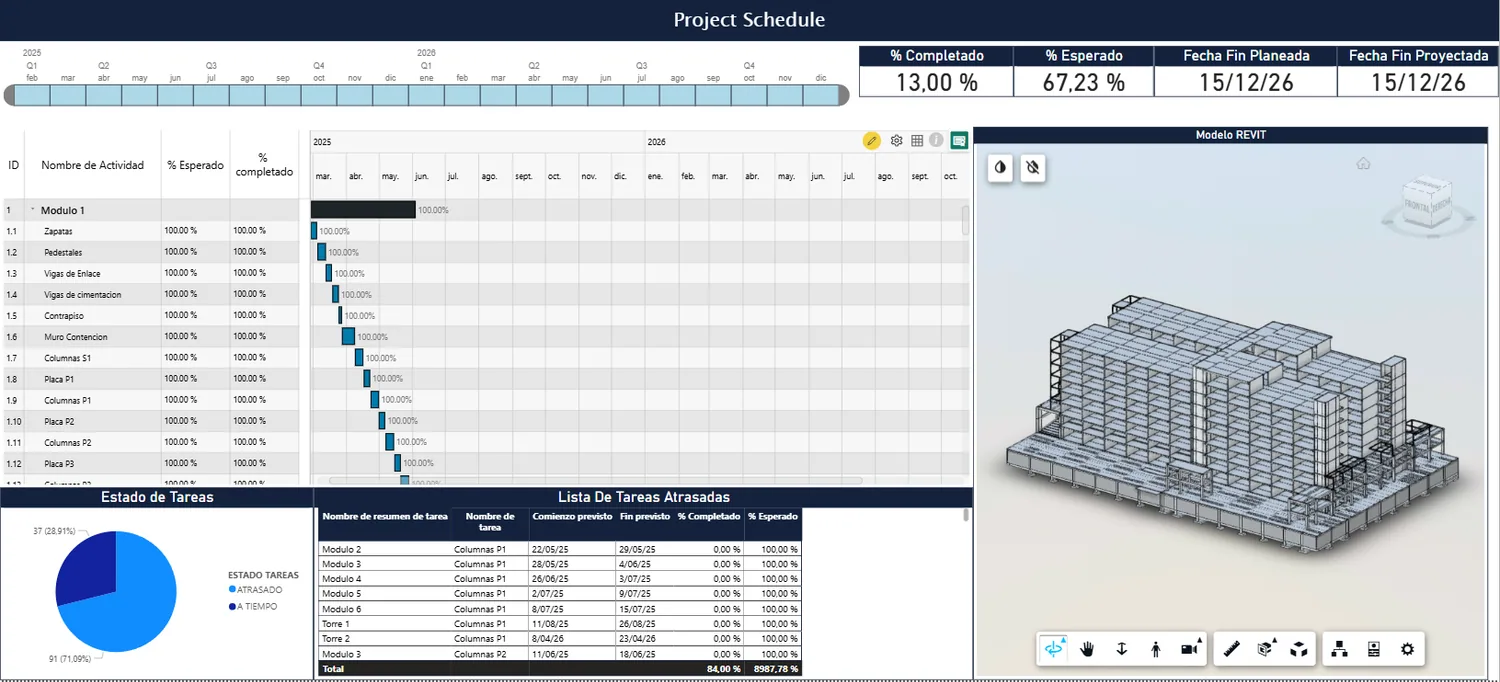
Schedule and 4D control
Schedule, model context, and progress indicators reviewed in one report.
Schedule4DProgress
-
04
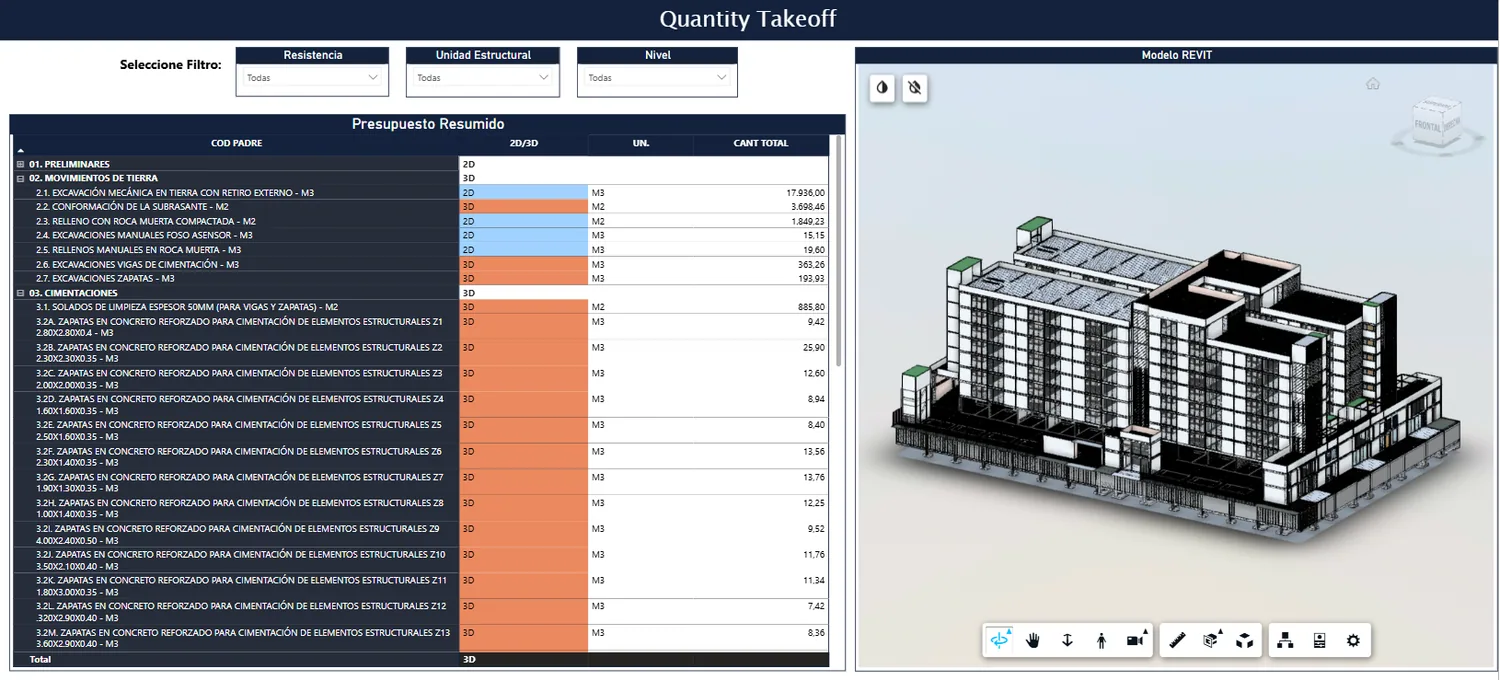
Quantity takeoff review
Model quantities and visual context used to validate reporting assumptions.
QTORevitPower BI
Live cost, schedule, quantity, and progress control — our Power BIM method
See cost, schedule, quantities, and progress in one live dashboard built from your project data — model, ERP, schedule, or spreadsheets.
Typical deliverables - Construction progress, cost, quantity, and schedule dashboards
- Power BI data modeling, DAX measures, and validated reporting
View service Build and coordinate the model
Model and coordinate against clear standards
For teams that need reliable, coordinated models and clashes resolved before the field.
-
01
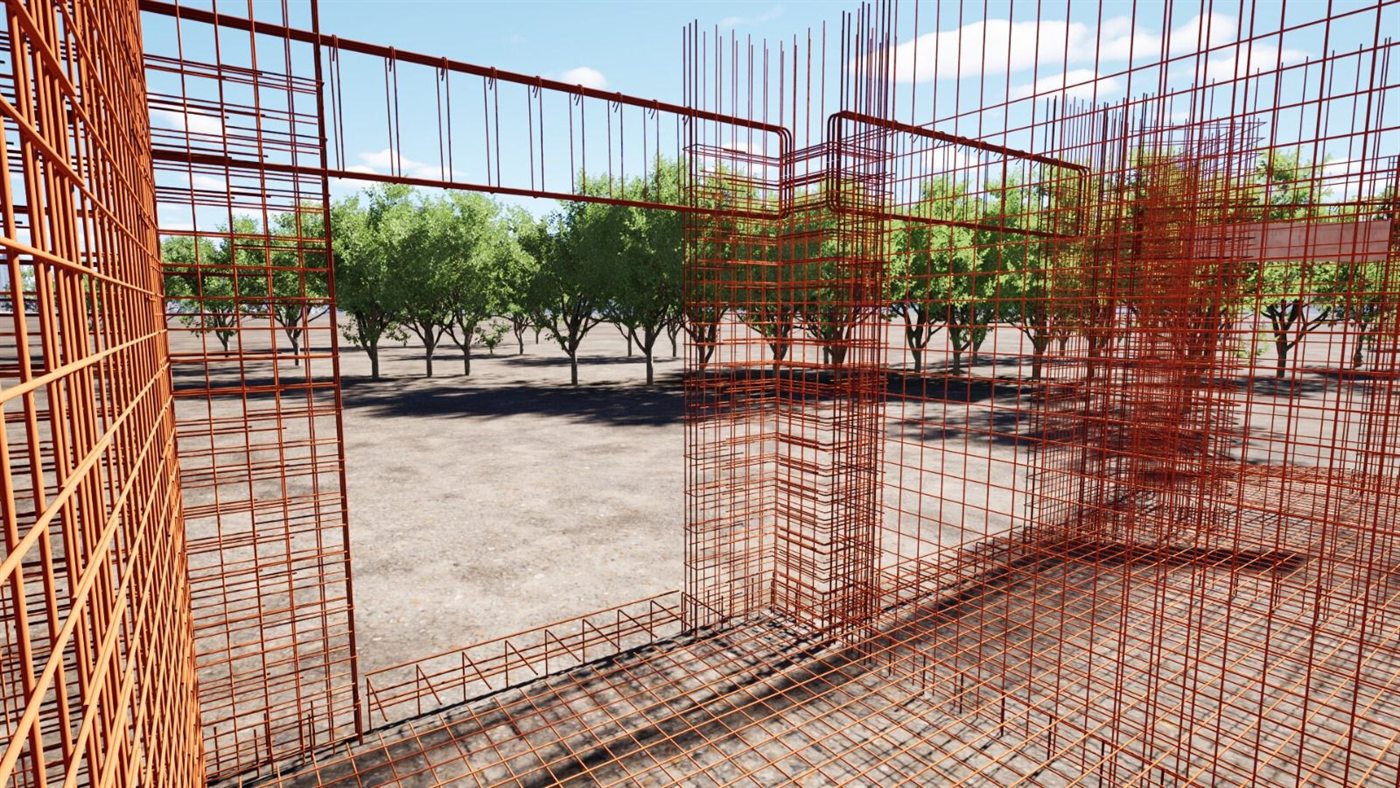
Detailed structural modeling
Reinforcement, details, and views prepared for review, quantities, and documentation.
RevitStructureShop drawings
-
02
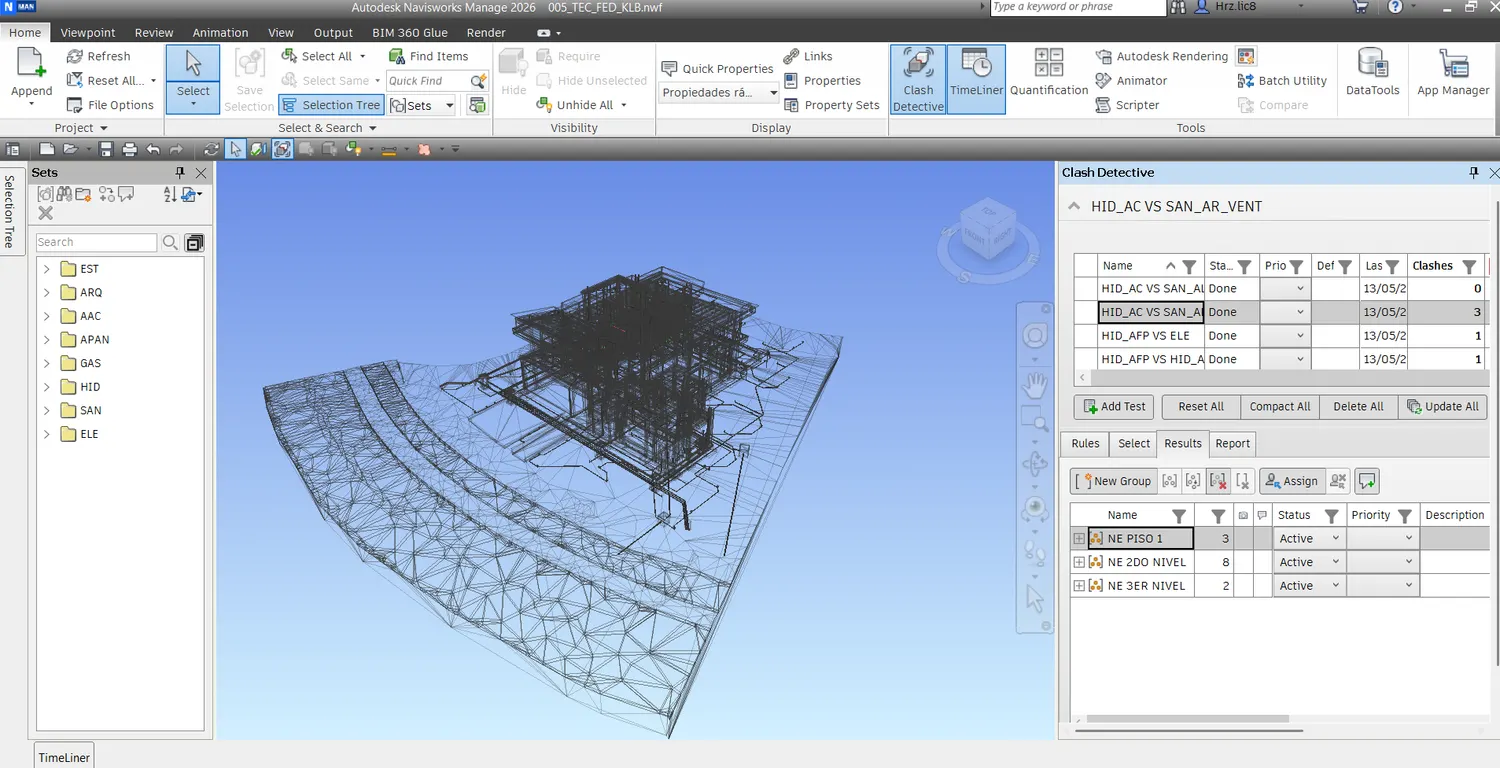
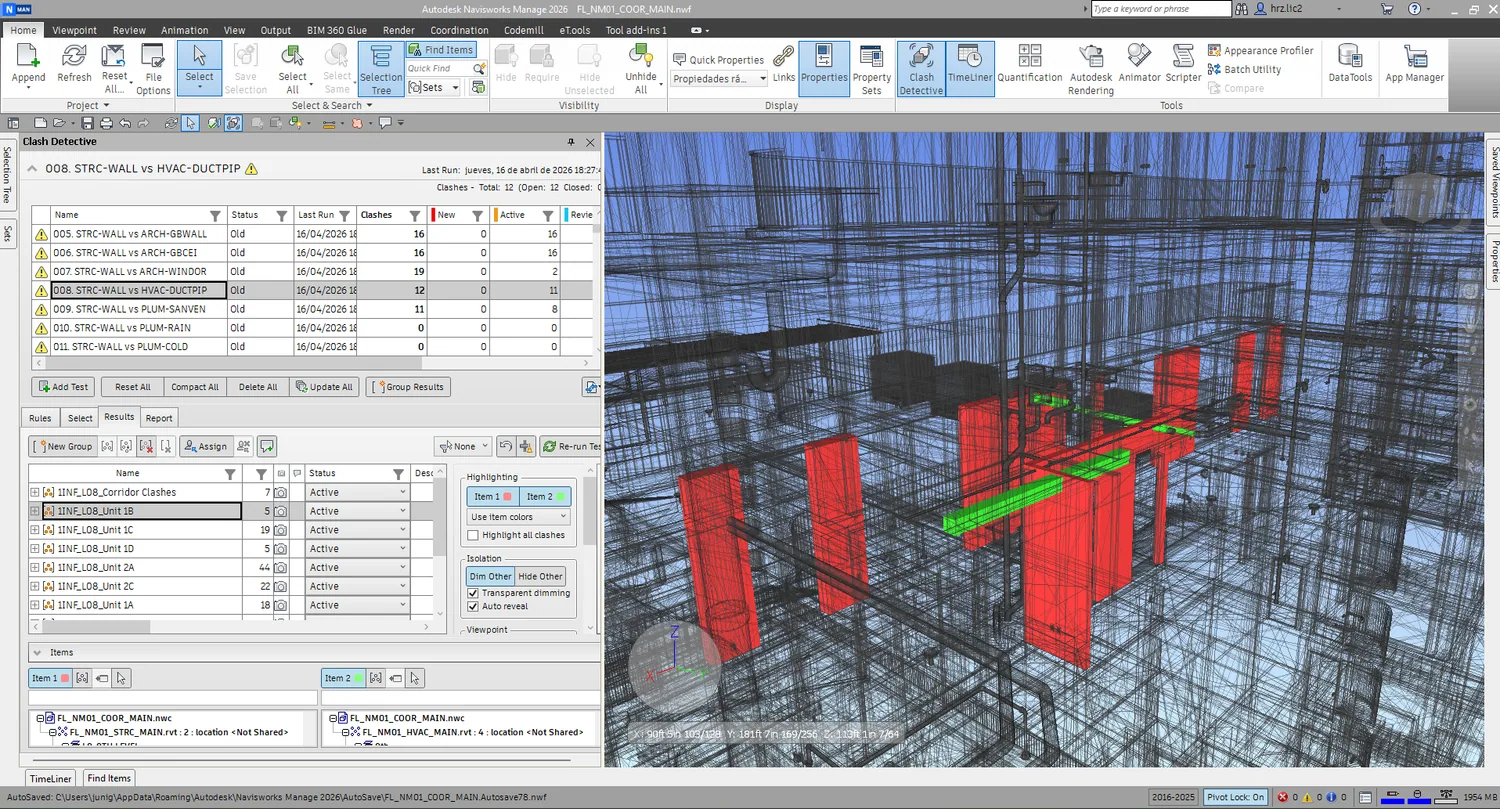
Federated coordination
Navisworks model context for interdisciplinary review and clash tracking.
NavisworksFederated modelReview
-
03
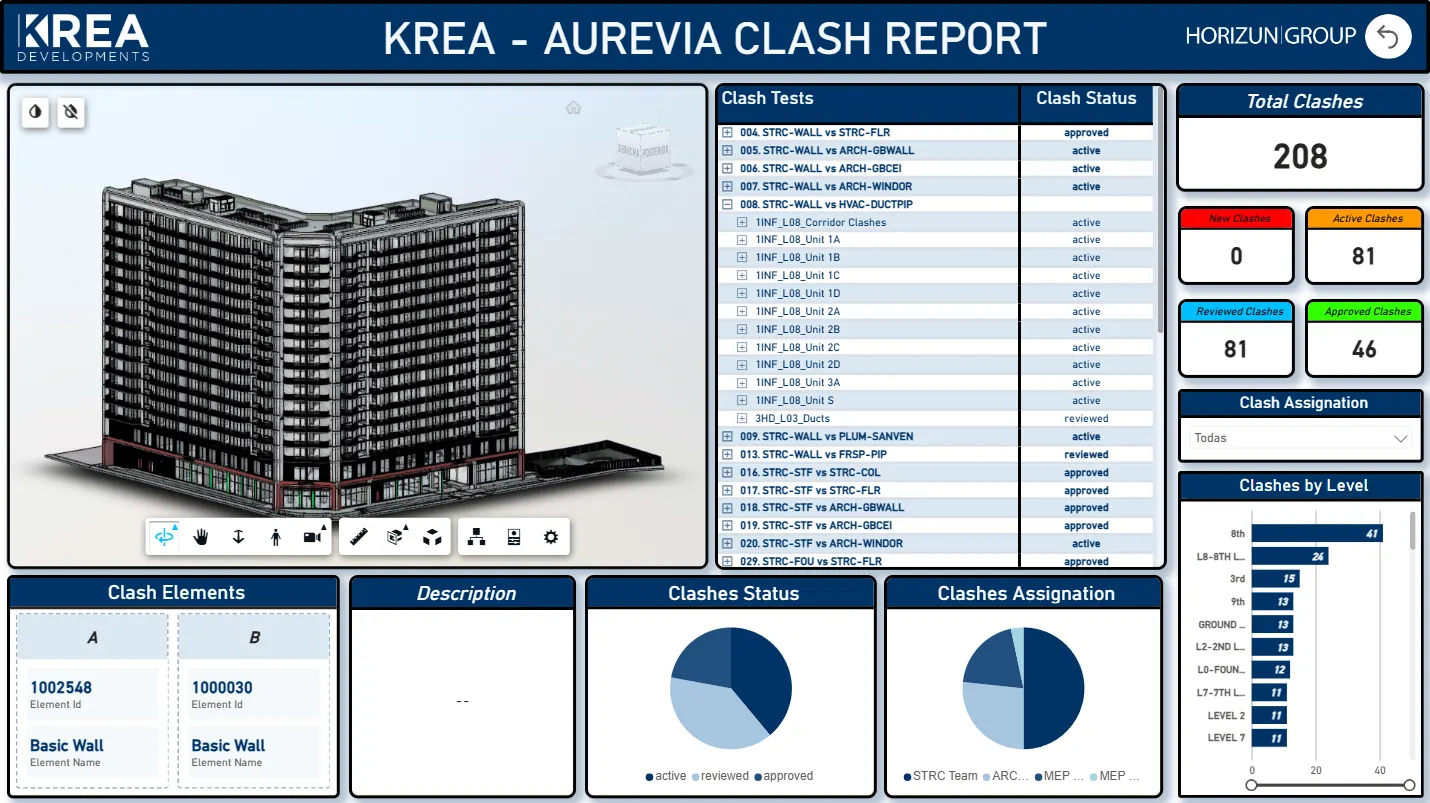
Clash report dashboard
Clash status, ownership, and model context for coordination follow-up.
ClashesStatusAssignments
-
04
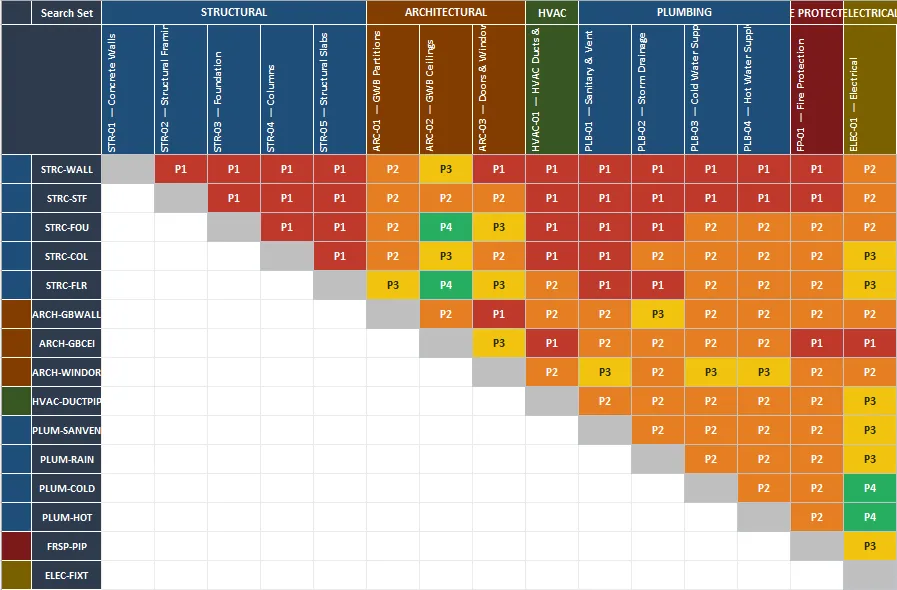
Issue matrix
Priorities, disciplines, and follow-up actions organized in a control matrix.
MatrixPriorityAction
Coordinated models that catch clashes on screen, not on site
Build and coordinate models against clear standards so clashes get caught on screen, not on site.
Typical deliverables - Architectural, structural, MEP, and civil model production with LOD strategy
- BIM Execution Plans, information requirements, and naming standards
View service Custom software and automation
We build the software you can't buy and automate the repetitive work
For construction companies that need custom apps, ERPs, CRMs, or tools — and less manual work.
-
01
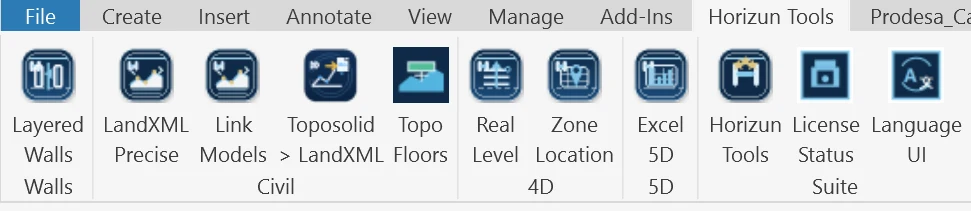
Custom Revit tools
Team commands packaged in Revit for repeatable production tasks.
RevitRibbonTools
-
02
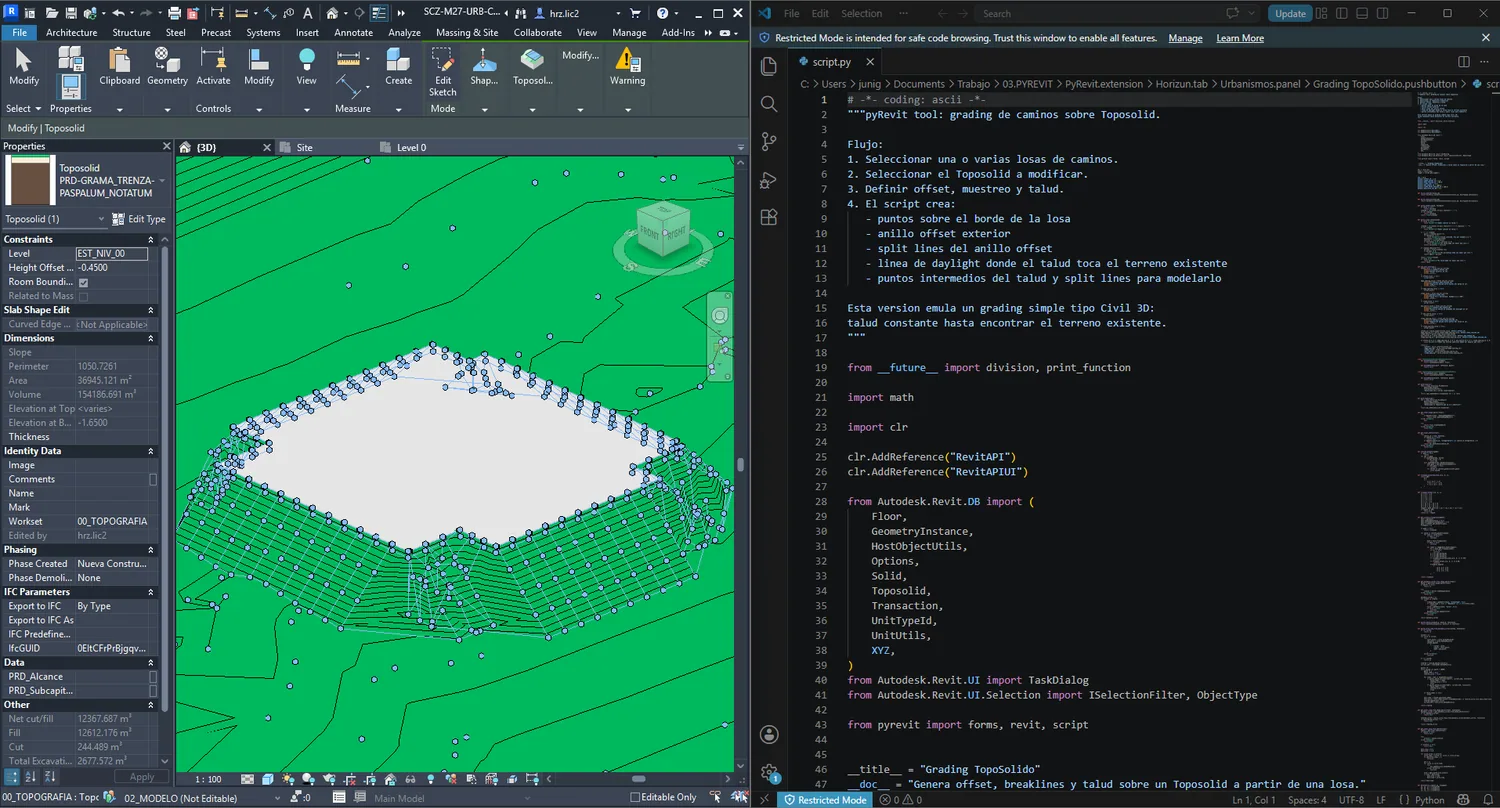
pyRevit grading automation
Scripted workflows for terrain, grading, and Revit production.
pyRevitPythonGrading
-
03
Data turned into a tool
Dashboards and datasets become a custom application teams log into every day.
AppsIntegrationsPower BI
-
04
Coordination QA review
Model review outputs are checked against issue status and coordination context.
QANavisworksIssues
The app, ERP, CRM, or integration your company can't buy off the shelf
Build the apps, ERPs, CRMs, and integrations your construction company can't buy off the shelf.
Typical deliverables - Web and mobile applications for construction workflows
- ERP and CRM solutions, customizations, and configuration
View service pyRevit, Dynamo, Revit API, and practical AI
Automate repetitive Revit work with pyRevit, Dynamo, the Revit API, and practical AI.
Typical deliverables - Dynamo scripts, pyRevit tools, and custom Revit commands
- Revit API development for deeper custom functionality
View service Make it stick
Enable your team to run it in-house
For construction teams that want reusable capability, not one-off deliverables.
-
01
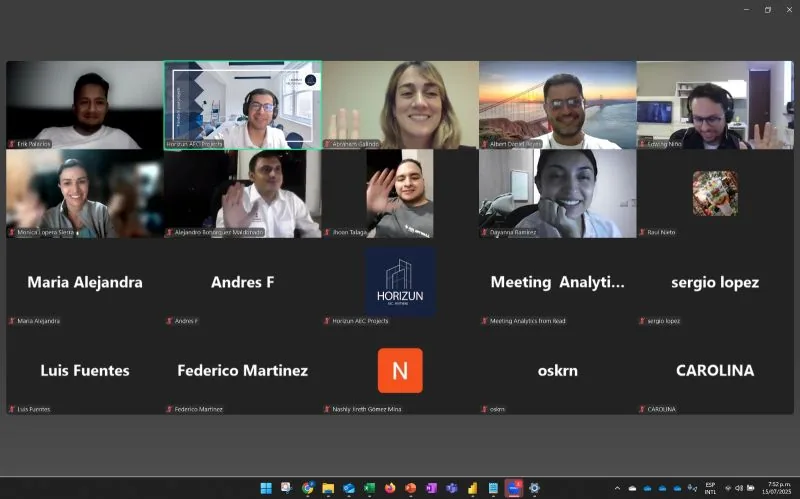
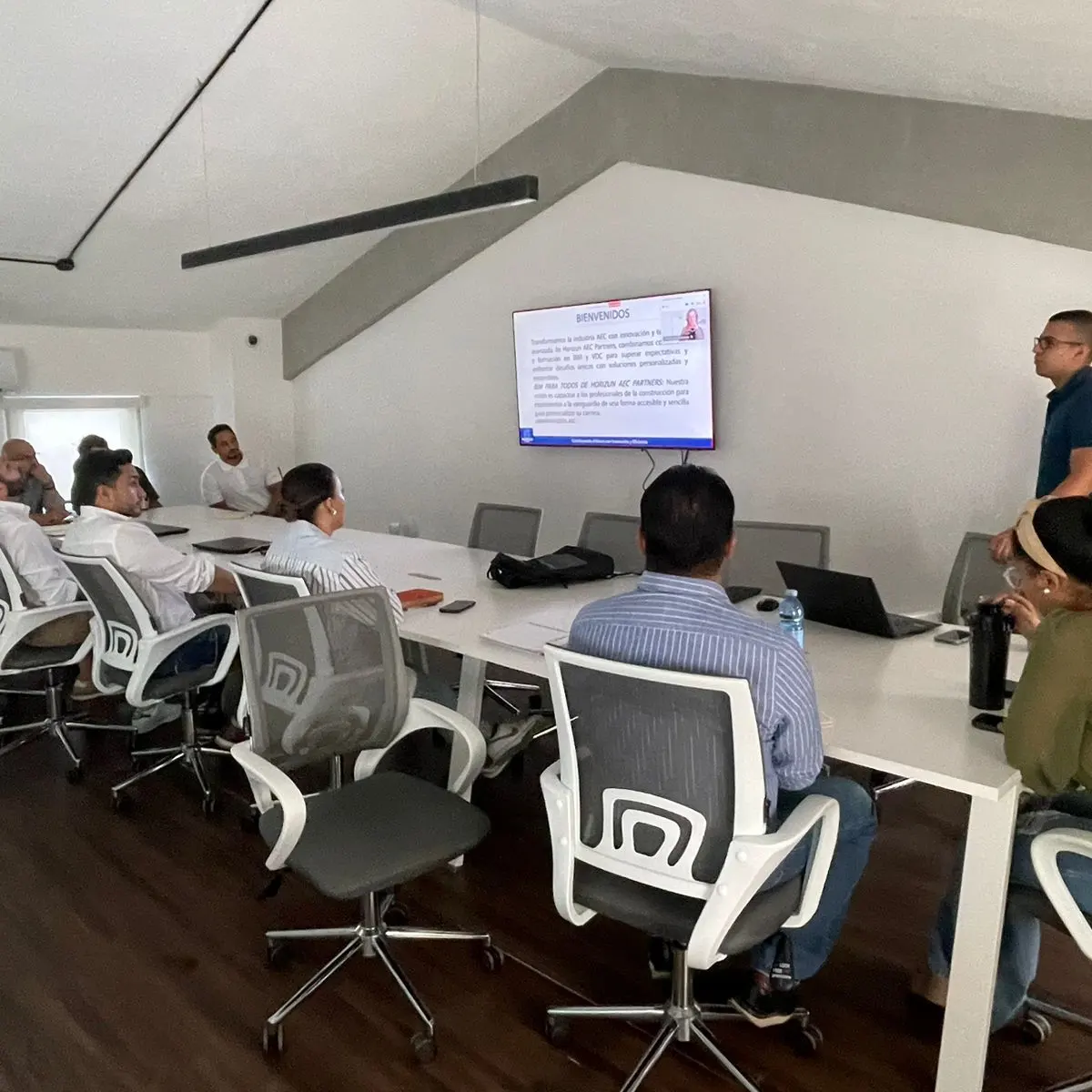
Live technical sessions
BIM + Power BI workflow adoption sessions for technical teams.
BIM + Power BITeamsTraining
-
02
Project review with teams
Technical review of visuals, model context, and delivery needs.
ReviewConsultingDelivery
-
03
Workflow reference material
Reports and dashboards become reusable references for team adoption.
DashboardsDocumentationHandoff
Your team runs the workflows in-house — taught hands-on
Train your team to run the data, BIM, and automation workflows in-house, so the capability stays with you.
Typical deliverables - Workflow enablement sessions
- BIM + Power BI support for 4D/5D simulations and dashboards
View service Connected delivery
You don't buy a service — you connect a system.
A dashboard may require BIM data standards. Coordination may need issue reporting. Software may build on your dashboards. Services are modular, but the workflow is connected.
Technical stack
Tools used to connect BIM execution with project control.
BIM and coordination
RevitNavisworksACC / BIM 360IFCSpeckle
Data and reporting
Power BIPower QueryDAXExcelSharePoint
Automation
DynamopyRevitRevit APIAPIsData extraction
Adoption
BIM + Power BIBIM Para TodosAI workflowsEnablementDocumentation
Next step Connect the data, software, automation, AI, and BIM your project needs in one system.
Share your project context, current systems, and the decision you need to support. We will respond with a focused conversation, not a generic sales script.